
Referees do not get a spreadsheet or a stray email. They get a portal that shows their own record, with the feedback they have received, the goals they are working on, and where they sit on their grade pathway. Here is what is in it.
1. A home that starts with the latest feedback
The portal sidebar has four places: Home, Feedback, Progress and Profile. Home leads with the referee's name, grade and how many assessments they have had.
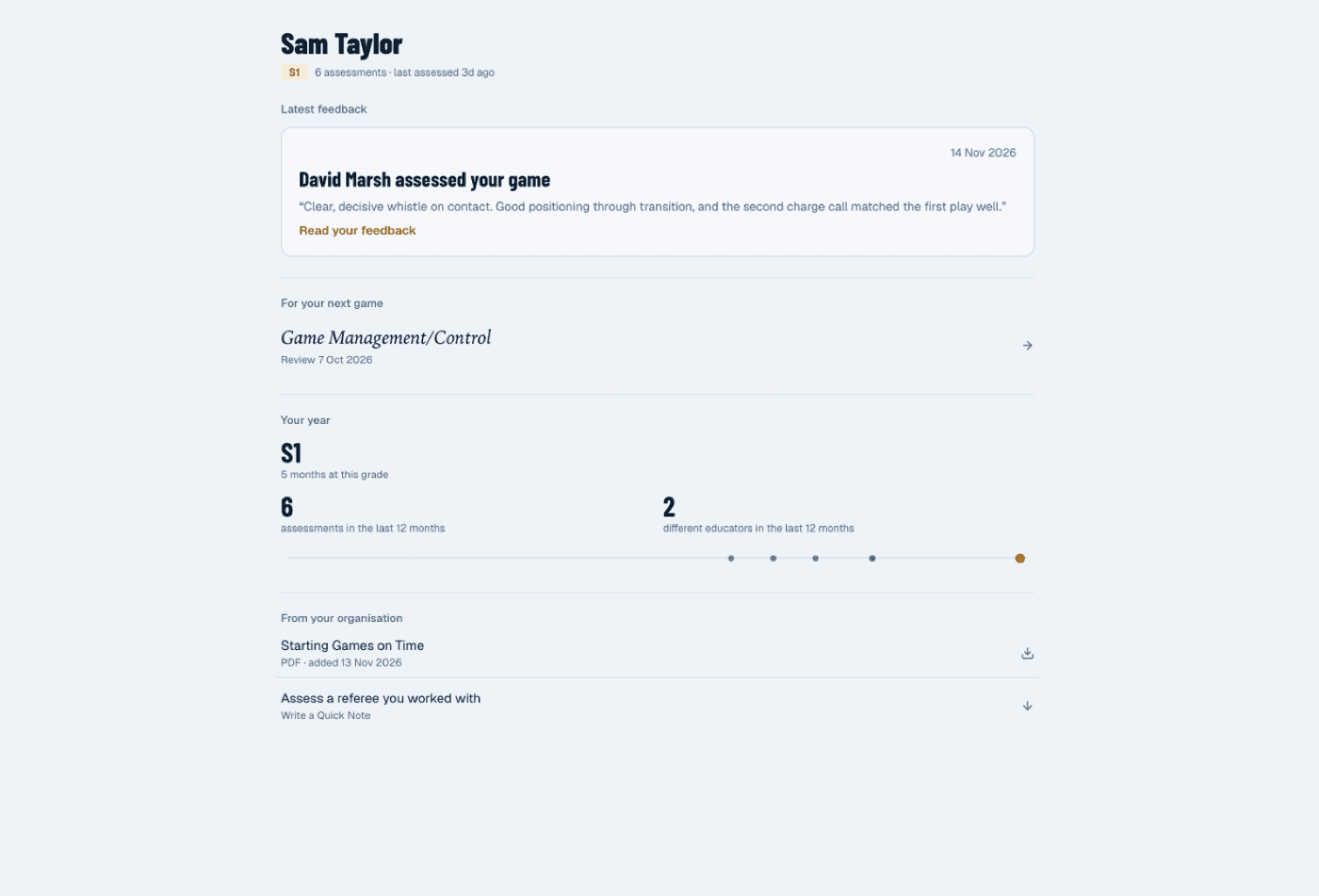
Home opens with the latest feedback: who assessed the game, the date, and a short quote, with Read your feedback underneath.
Further down Home, For your next game shows the development area the referee is working on and its review date. Your year shows their grade, how many months they have been at it, how many assessments they have had in the last 12 months, and from how many different educators. From your organisation lists the resources your organisation has added.
2. A feedback history they can search
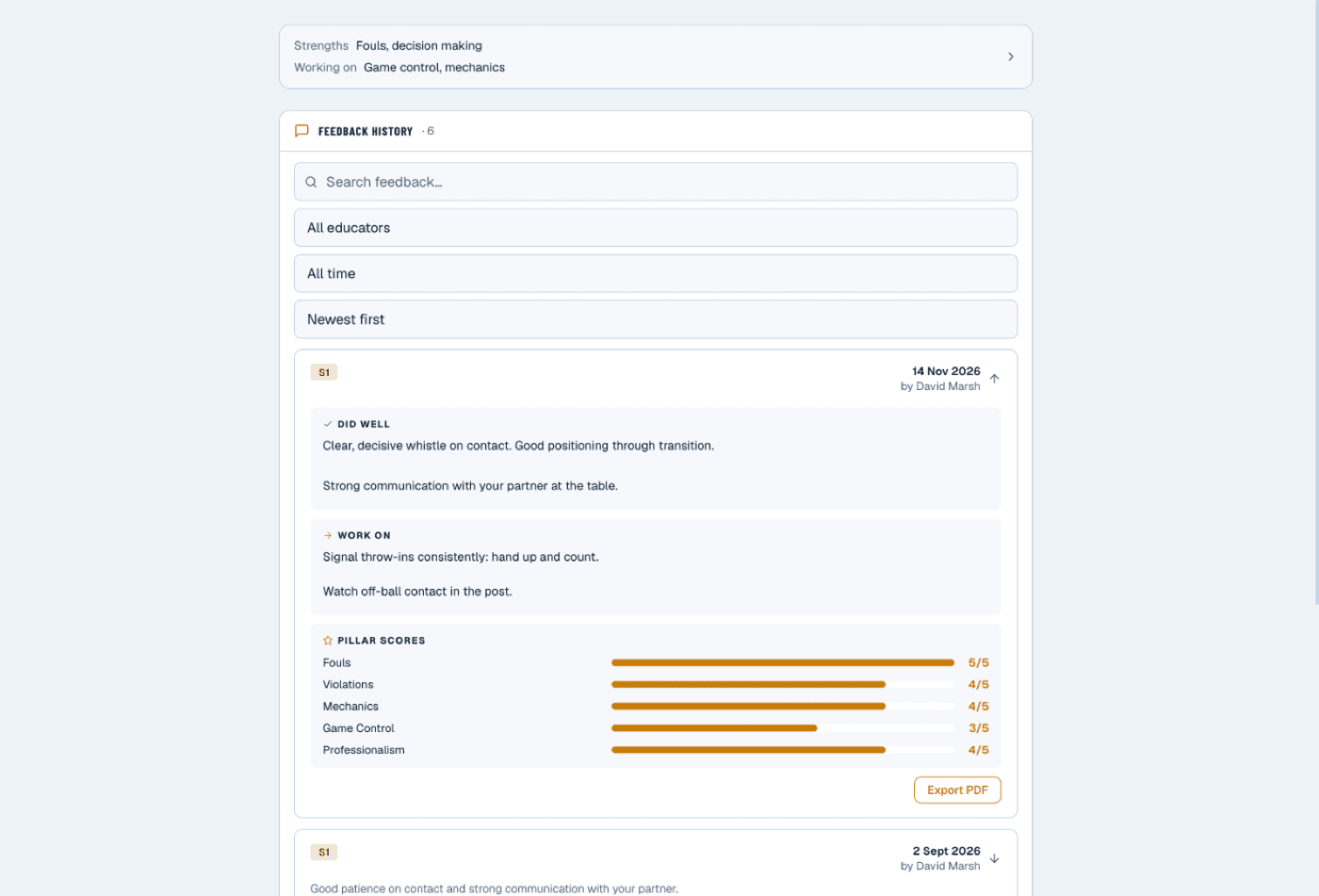
The Feedback page opens with a strip showing their strengths and what they are working on. Below it, the history can be searched and filtered by educator, by time period, and by newest or oldest first.
Each entry expands to show Did well, Work on, and Pillar scores as bars out of five. Referees can export an entry as a PDF.
3. Goals they own
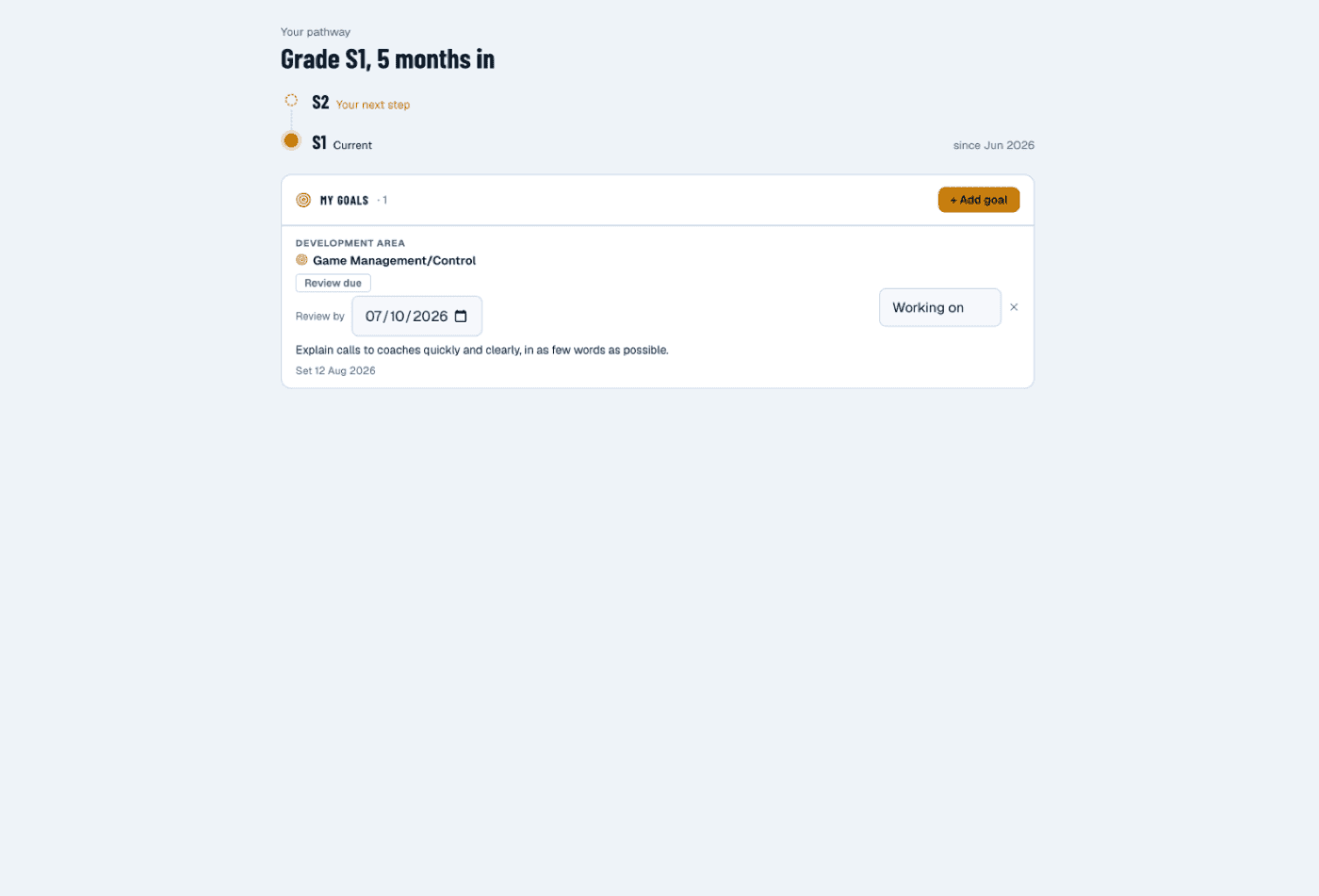
The Progress page shows the referee's pathway: their current grade, and the next step. Under it, My goals lists the goals they have set. A goal has a development area, a review date, a status such as Working on, and the text of the goal. Your admins choose the development areas referees can pick from.
4. How they find out
The referee is told when something new is ready, by email or by phone notification through the iPhone app, as they choose. The email is a short note with a link to sign in: the feedback itself is not in the email. Unread feedback shows a New badge in the portal.
The choice sits in Profile & Preferences, under Notifications: Email me, Notify me on my phone, or both. If a phone can't be reached, the app emails instead.
What they do not see
Referees never see an admin's coaching notes. They see scores, written feedback and clips only if your form is set to send them, and only after approval if you require it. See Control what referees see and when.