
Every part of referee assessment, in one place
Every part of referee assessment, in one place
From the form an educator fills in at the venue to the report a board reads at the end of the season. Here is what RefHub does, in the order most associations ask for it.
From the form an educator fills in at the venue to the report a board reads at the end of the season. Here is what RefHub does, in the order most associations ask for it.
ASSESSMENT
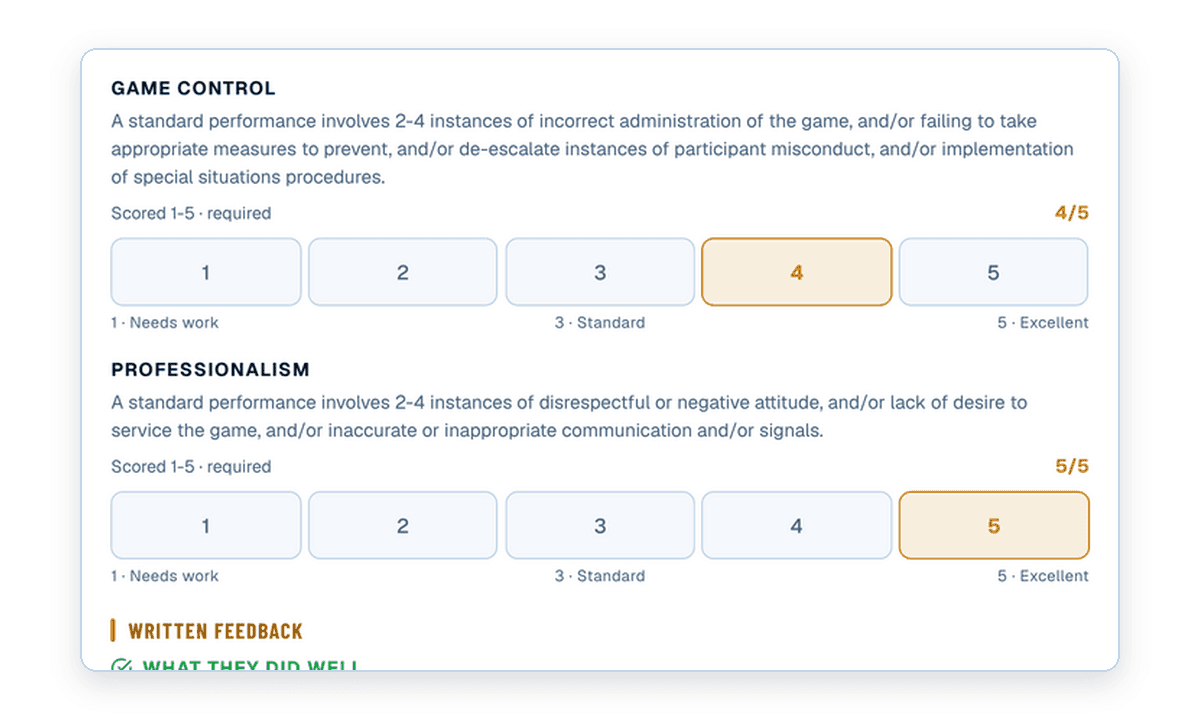
One form for every assessor
Assessors work from the same structured forms, including the Basketball Australia C1 to C3 curriculum forms and the Basketball Victoria C1 and C2 forms. Criteria, scoring and language stay consistent across assessors, matches and seasons.
ASSESSMENT
One form for every assessor
Assessors work from the same structured forms, including the Basketball Australia C1 to C3 curriculum forms and the Basketball Victoria C1 and C2 forms. Criteria, scoring and language stay consistent across assessors, matches and seasons.
ASSESSMENT
One form for every assessor
Assessors work from the same structured forms, including the Basketball Australia C1 to C3 curriculum forms and the Basketball Victoria C1 and C2 forms. Criteria, scoring and language stay consistent across assessors, matches and seasons.
ON TONIGHT
No sheet yet. Showing referees due for feedback.
Upload sheet
Export tonight’s games as a spreadsheet, then upload the .xlsx here.
TONIGHT
See who's on tonight, from your game sheet
Upload tonight's game sheet and educators see every referee on, each one a tap from a feedback form that already knows the game, age group, court and time. Educators assigned to a game in the sheet are assigned here automatically, and whoever has gone longest without feedback sits at the top.
REFEREE APP
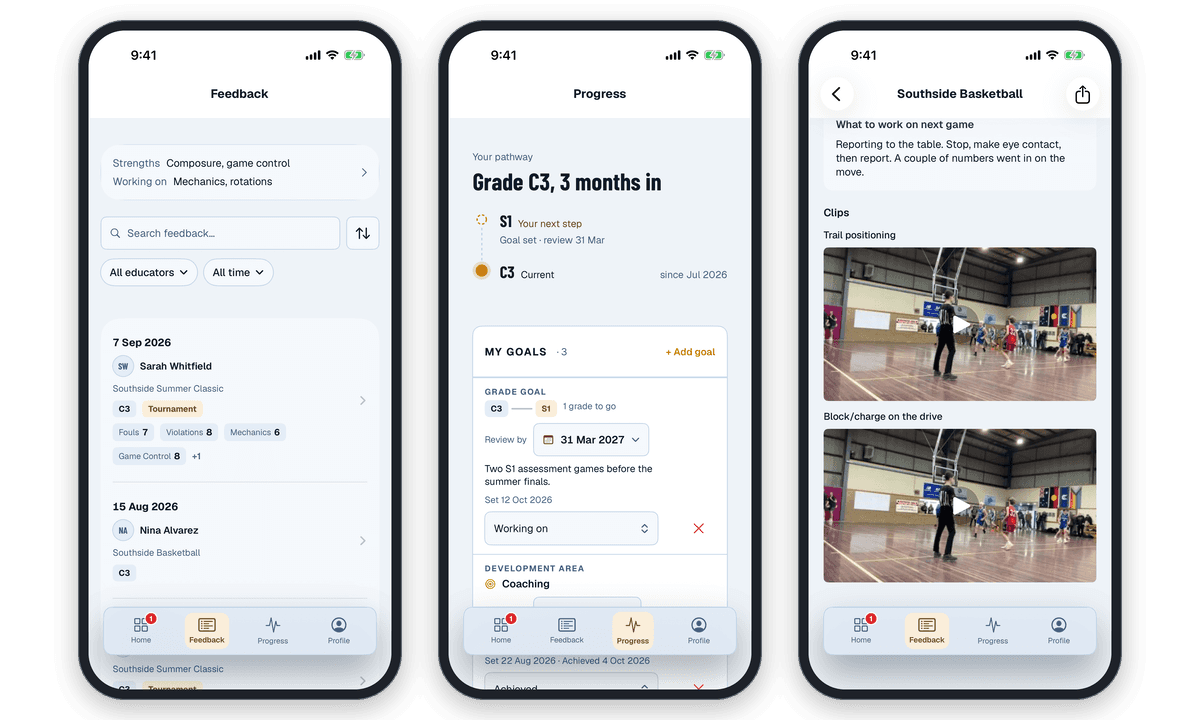
Referees get their feedback in the app
Referees see their feedback, grades, video clips and goals in the RefHub app, with a push notification when something new arrives. Emails are optional, and when they are kept they link straight into the app.
REFEREE APP
Referees get their feedback in the app
Referees see their feedback, grades, video clips and goals in the RefHub app, with a push notification when something new arrives. Emails are optional, and when they are kept they link straight into the app.
REFEREE APP
Referees get their feedback in the app
Referees see their feedback, grades, video clips and goals in the RefHub app, with a push notification when something new arrives. Emails are optional, and when they are kept they link straight into the app.
VIDEO CLIPS
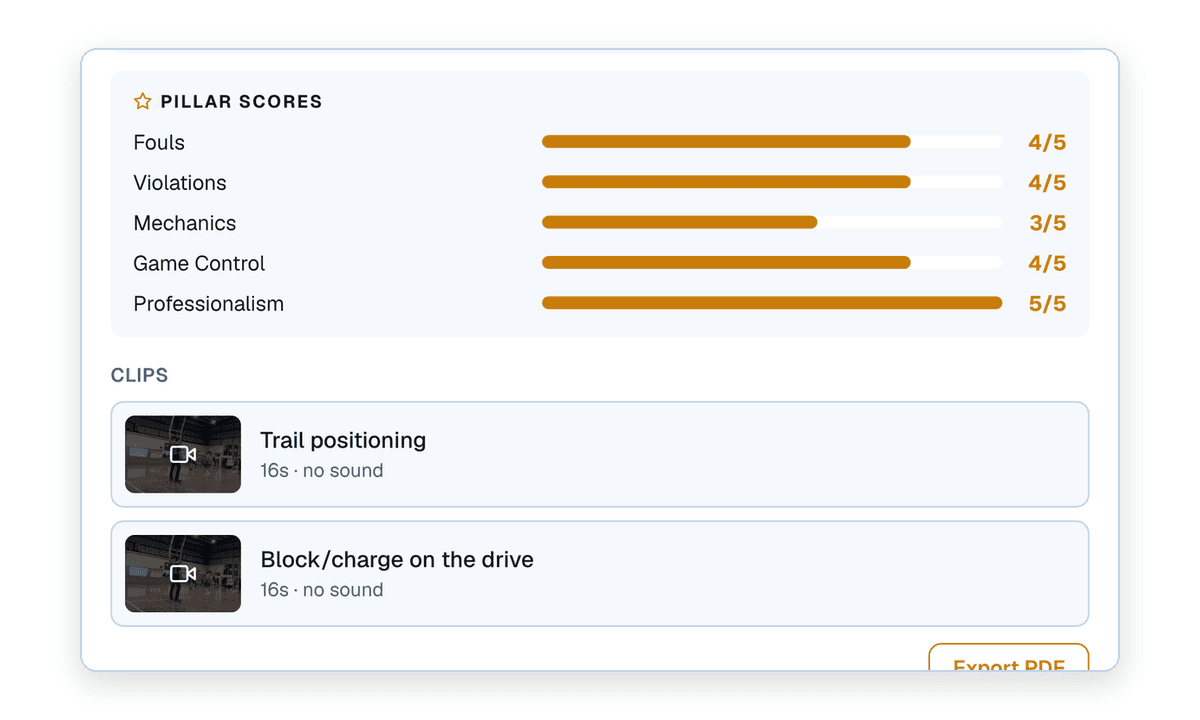
Show the referee what you saw
Add up to six 30-second clips to any assessment, each with a label so the referee knows what to look for. Clips upload while you keep writing, and sit next to the feedback in the referee's app.
VIDEO CLIPS
Show the referee what you saw
Add up to six 30-second clips to any assessment, each with a label so the referee knows what to look for. Clips upload while you keep writing, and sit next to the feedback in the referee's app.
VIDEO CLIPS
Show the referee what you saw
Add up to six 30-second clips to any assessment, each with a label so the referee knows what to look for. Clips upload while you keep writing, and sit next to the feedback in the referee's app.
ASSIGNMENTS
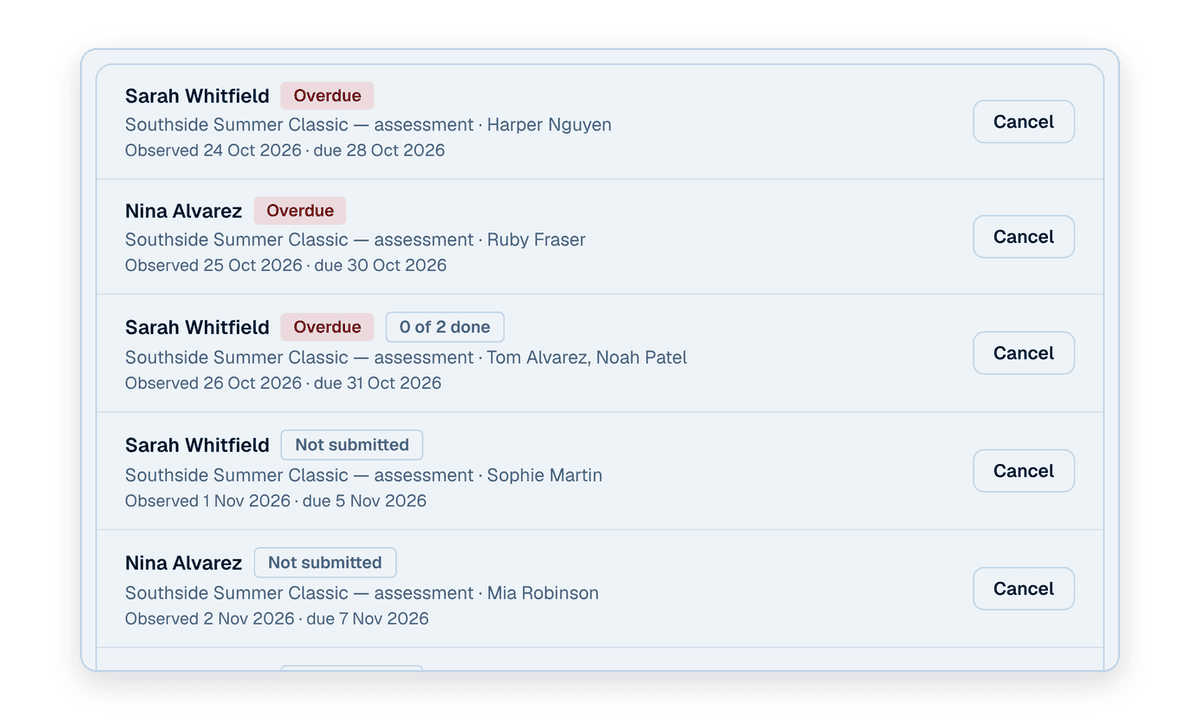
Tell an educator exactly what to assess
Pick the educator, the form, the referees, the night they are observing and the day it is due. It lands on their dashboard with the form and referee already filled in, and anything not submitted by the due date is marked overdue.
ASSIGNMENTS
Tell an educator exactly what to assess
Pick the educator, the form, the referees, the night they are observing and the day it is due. It lands on their dashboard with the form and referee already filled in, and anything not submitted by the due date is marked overdue.
ASSIGNMENTS
Tell an educator exactly what to assess
Pick the educator, the form, the referees, the night they are observing and the day it is due. It lands on their dashboard with the form and referee already filled in, and anything not submitted by the due date is marked overdue.
ISSUES & SAFETY
Concerns reported where the assessing happens
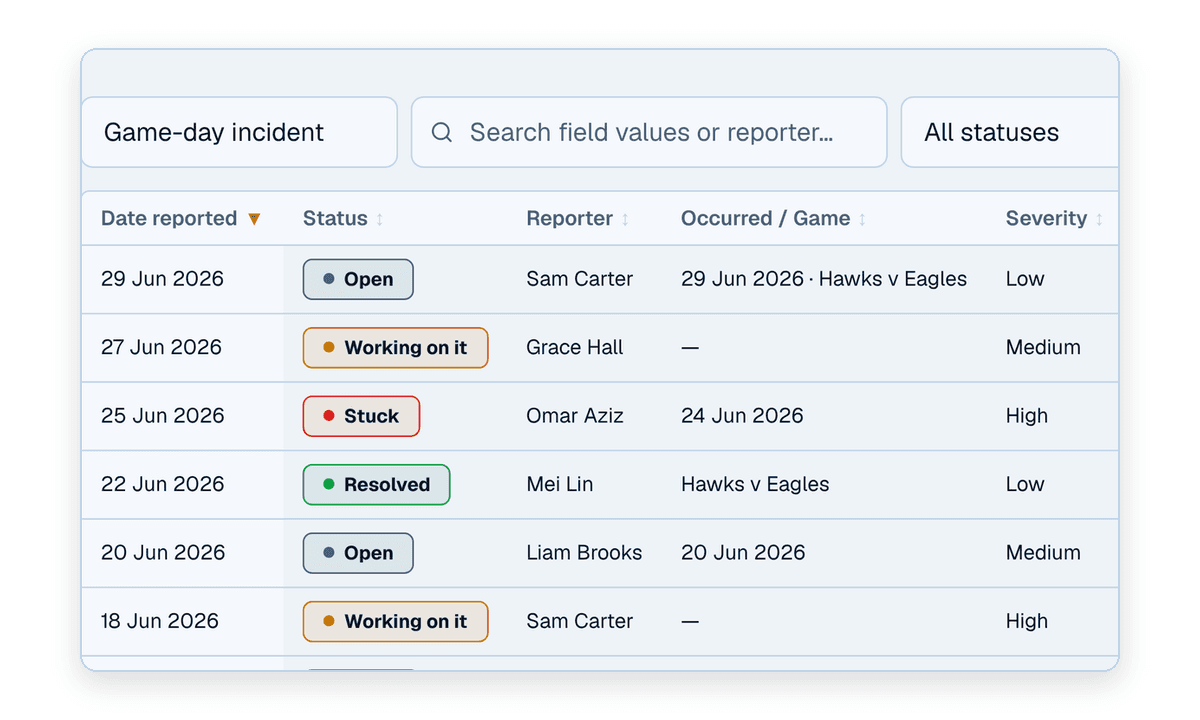
Report an issue from the same menu you give feedback from. Forms show or hide questions based on earlier answers, reports email your admins, and each has a status and an activity log. See every report of a type in a sortable table, filter by date or status and export to a spreadsheet. Admins also keep a private conduct log on each referee.
AI ASSIST
Turn rough notes into feedback a referee can use
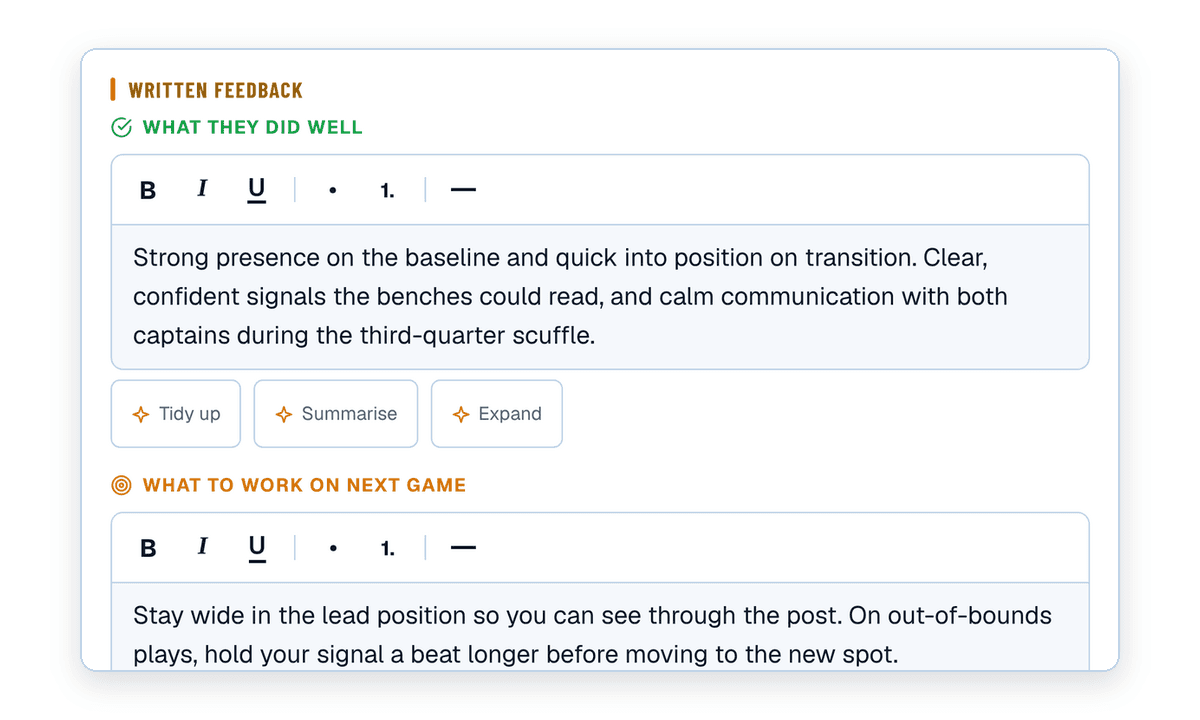
Three assists sit on every feedback text field. Tidy cleans up the writing, Summarise shortens it, and Expand turns a brief note into fuller feedback the referee can act on.
AI ASSIST
Turn rough notes into feedback a referee can use
Three assists sit on every feedback text field. Tidy cleans up the writing, Summarise shortens it, and Expand turns a brief note into fuller feedback the referee can act on.
AI ASSIST
Turn rough notes into feedback a referee can use
Three assists sit on every feedback text field. Tidy cleans up the writing, Summarise shortens it, and Expand turns a brief note into fuller feedback the referee can act on.
SUPERVISORS
Feedback from the court, in the moment
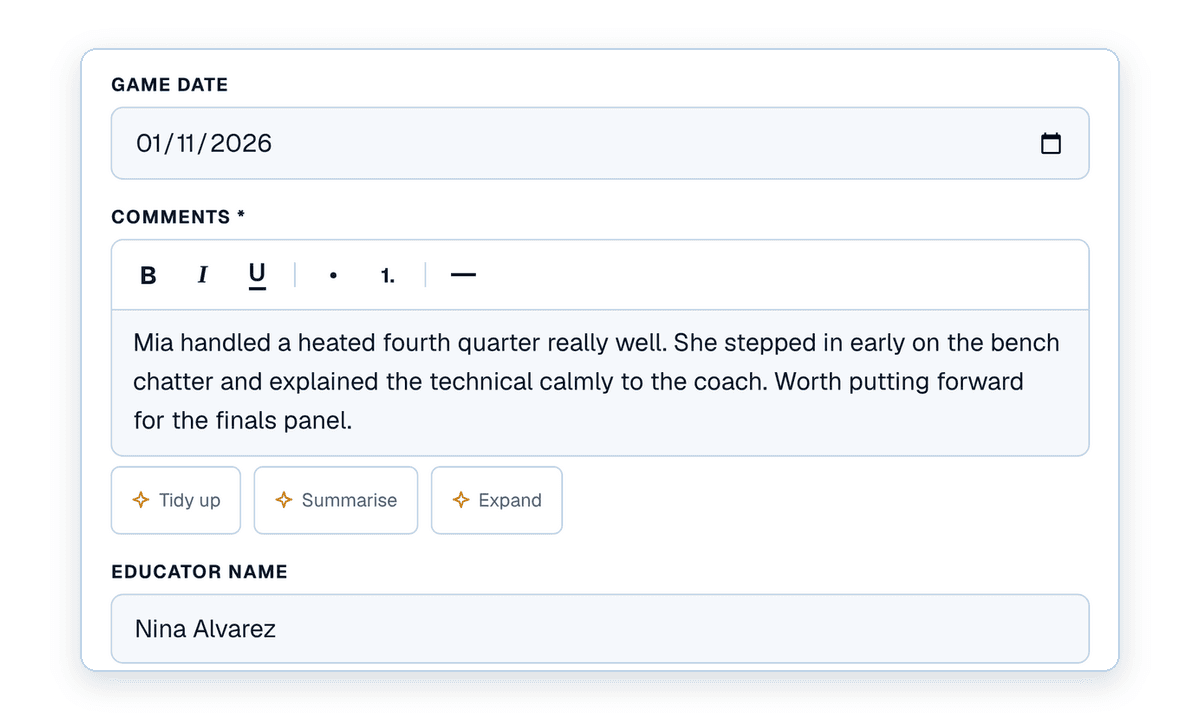
Supervisors assigned to a venue or a block of courts can add short written notes on officials as games unfold, without opening a full assessment form. Full forms stay for coaches assigned to specific games. Admins choose who can write notes, and every note is approved before the referee sees it.
REFEREE PROFILES
Everything about a referee, on one page
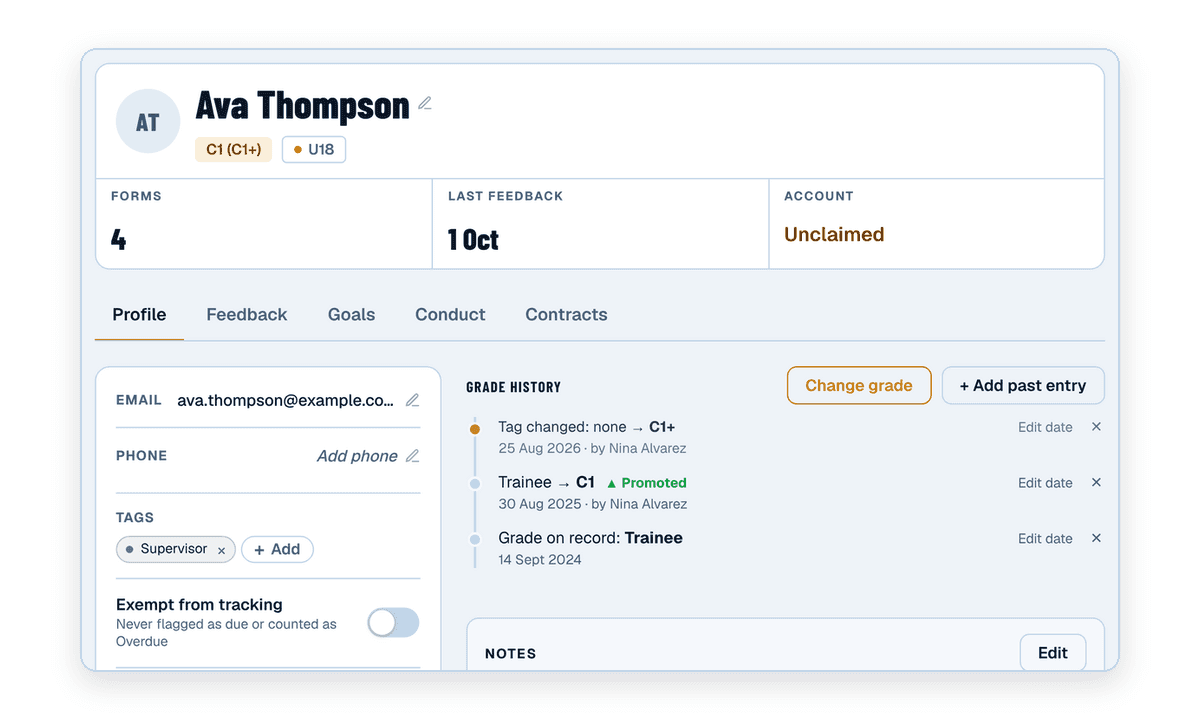
Open a referee and see their contact and account details beside their full feedback history, goals, conduct log and signed contracts, with grade history dated from registration. Add your own tags such as Ref Coach, Mentor or Needs review and filter any list by them, or exempt someone from tracking. Tags are admin-only and never affect a grade.
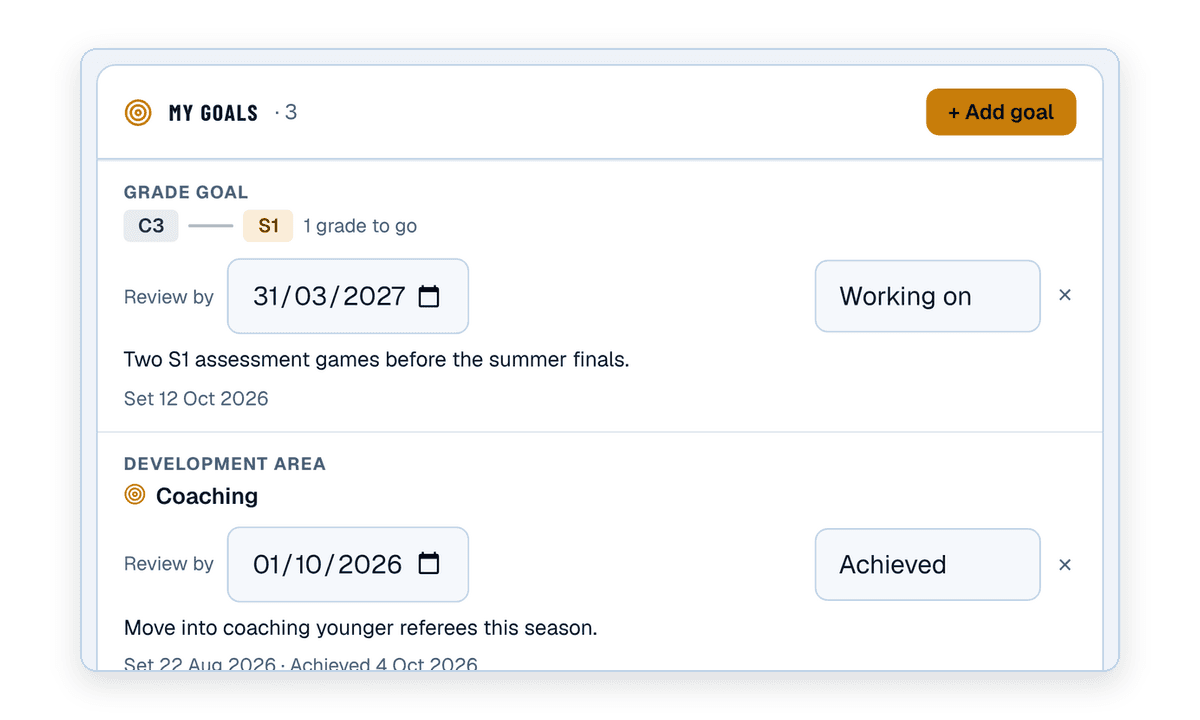
GOALS
Referees set their own targets
A target grade or a development area, with an optional note and review date. Admins define the development areas to choose from. Goals appear on the referee's profile so admins and educators know what someone is working towards, and a goal past its review date is flagged so it does not quietly go stale.
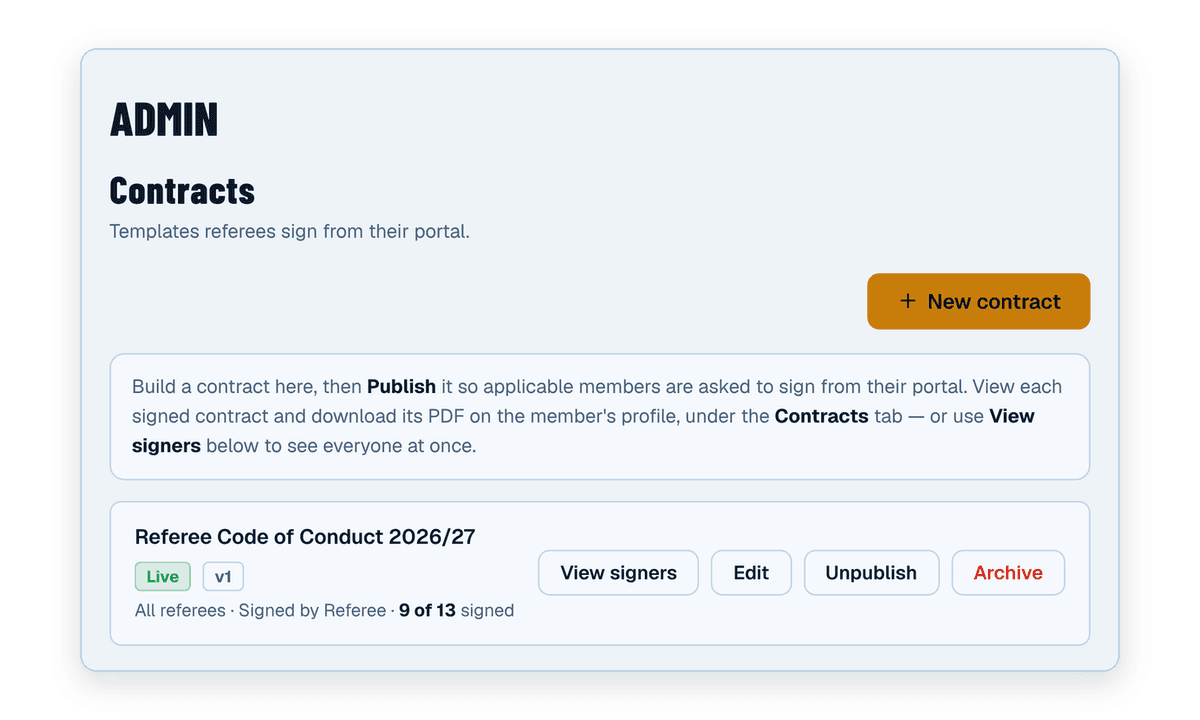
CONTRACTS
Contracts signed in the app
Build a contract, choose who needs to sign it and they sign from the app, with a parent or guardian co-signature for under-18s. Publish new versions, see at a glance who has signed and who has not, and everyone ends up with a PDF copy.
CONTRACTS
Contracts signed in the app
Build a contract, choose who needs to sign it and they sign from the app, with a parent or guardian co-signature for under-18s. Publish new versions, see at a glance who has signed and who has not, and everyone ends up with a PDF copy.
CONTRACTS
Contracts signed in the app
Build a contract, choose who needs to sign it and they sign from the app, with a parent or guardian co-signature for under-18s. Publish new versions, see at a glance who has signed and who has not, and everyone ends up with a PDF copy.
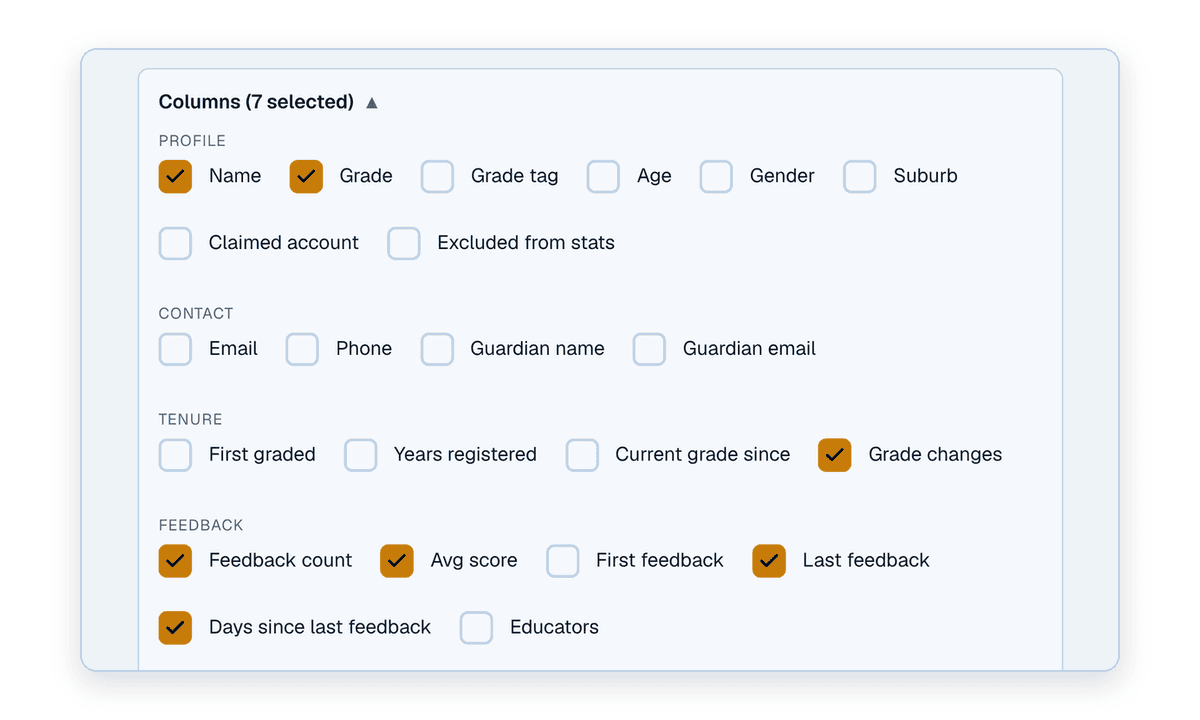
INSIGHTS & REPORTS
Build the report you actually need
See who needs feedback this week, average scores for every pillar, monthly trends and who is giving the feedback. Then build your own report: tick the columns you want, filter and sort, save it for anyone who administers your organisation to run later, or export exactly what is on screen to a spreadsheet.
The small things that save an evening
The features that keep an organisation running smoothly, without a separate tool for each.
Choose what educators see
Educators see all approved feedback by default, or switch to a summary view showing only when each referee last got feedback and how many times.
Approved before it's seen
Feedback waits in an approval queue and stays hidden from referees until an admin signs it off. The author sees an awaiting approval note.
Rules for every form
Choose which grades or named referees each form applies to, which educators can complete it, and whether referees receive everything or written feedback only.
Educator grade caps
Cap the grade an educator can assess, or limit a course participant to assigned work only.
Share a form by link
Whoever has the link picks a referee, adds their name and submits with no sign-in. It lands in your approval queue marked Via link, and you can revoke it any time.
Coaching notes for educators
Leave an educator a note on a form they submitted, about how it was written rather than about the referee. Referees never see them.
Make it your own
Built to fit how your organisation already works.
Directives on every dashboard
Pin short standards for the season where every educator sees them, on their dashboard and in the forms they open. They reappear until each educator has read the update.
Make it yours
Rename educators to coaches, mentors or assessors, pick your accent colour and set the sender name on emails.
Your organisation on every report
Upload your organisation logo and it appears in the app header and at the top of exported PDF feedback reports.
Custom grade labels
Layer your own labels such as C1+ over the core grades. They show only inside your organisation and never change the referee's grade.
Resource hub
Keep forms, rules and references in one place where everyone can open them.
Bulk import
Add educators and referees in bulk instead of one at a time.
And the rest of the toolkit
Everything else an admin ends up reaching for.
Referee School, handled
Share a public registration link, collect applications and take card payments straight to your organisation's bank account via Stripe.
Jump anywhere, fast
Press Cmd-K or Ctrl-K on desktop to go to any page, referee or action, start a form or switch organisation.
Export what you see
Send any report, feedback list or issue table to a spreadsheet exactly as it appears on screen.
Governing-body forms
When a governing body shares forms with your organisation, switch on the ones you want.
Exempt from tracking
Take a referee out of the needs-attention and due-for-feedback lists when they should not be chased.
One person, several organisations
Belong to more than one organisation? Switch between them without signing out.
FAQs
Common questions about the features above.
Yes. RefHub has a native iPhone app with every feature of the web version, on the same account and the same data.
Upload tonight's game sheet. Each referee on the list is one tap from a feedback form that already knows the game, age group, court and time.
Referees get their feedback, goals and video clips in the app. Emails are optional, and if they are kept they link straight into the app.
Pending feedback stays hidden from educators until an admin approves it, and the person who wrote it sees an awaiting approval note. You can also show educators a summary view instead of full feedback.
Yes. Share a form by link: they pick a referee, enter their name and submit, with no sign-in. It arrives in your approval queue marked Via link, and you can revoke the link whenever you like.
Yes. You configure the criteria, weightings and scale, and RefHub builds the guided form from them. Existing grading frameworks carry across unchanged.
Yes. Supervisors assigned to a venue or several courts can add short written notes on officials throughout a game. Full assessment forms are for coaches assigned to specific games, and supervisors do not need to be qualified referee coaches.
Yes. Set the highest grade an educator can assess, restrict each form to certain grades or named referees, or limit someone to assigned work only.
Yes. Rename them to coaches, mentors, assessors or similar, and the new name is used throughout the app.
See every referee assessment in one place
Book a walkthrough and see how RefereeHub keeps grading consistent across your whole association.
“RefHub has been a great addition to our program, and I genuinely think having access to a tool like this improves the experience for everyone who's a part of it.”
C
Con
Admin